What Is Shopify? See the Platform Through Four Store Workflows
Understand Shopify through the four workflows a merchant actually runs: presentation, selling, operations, and improvement.
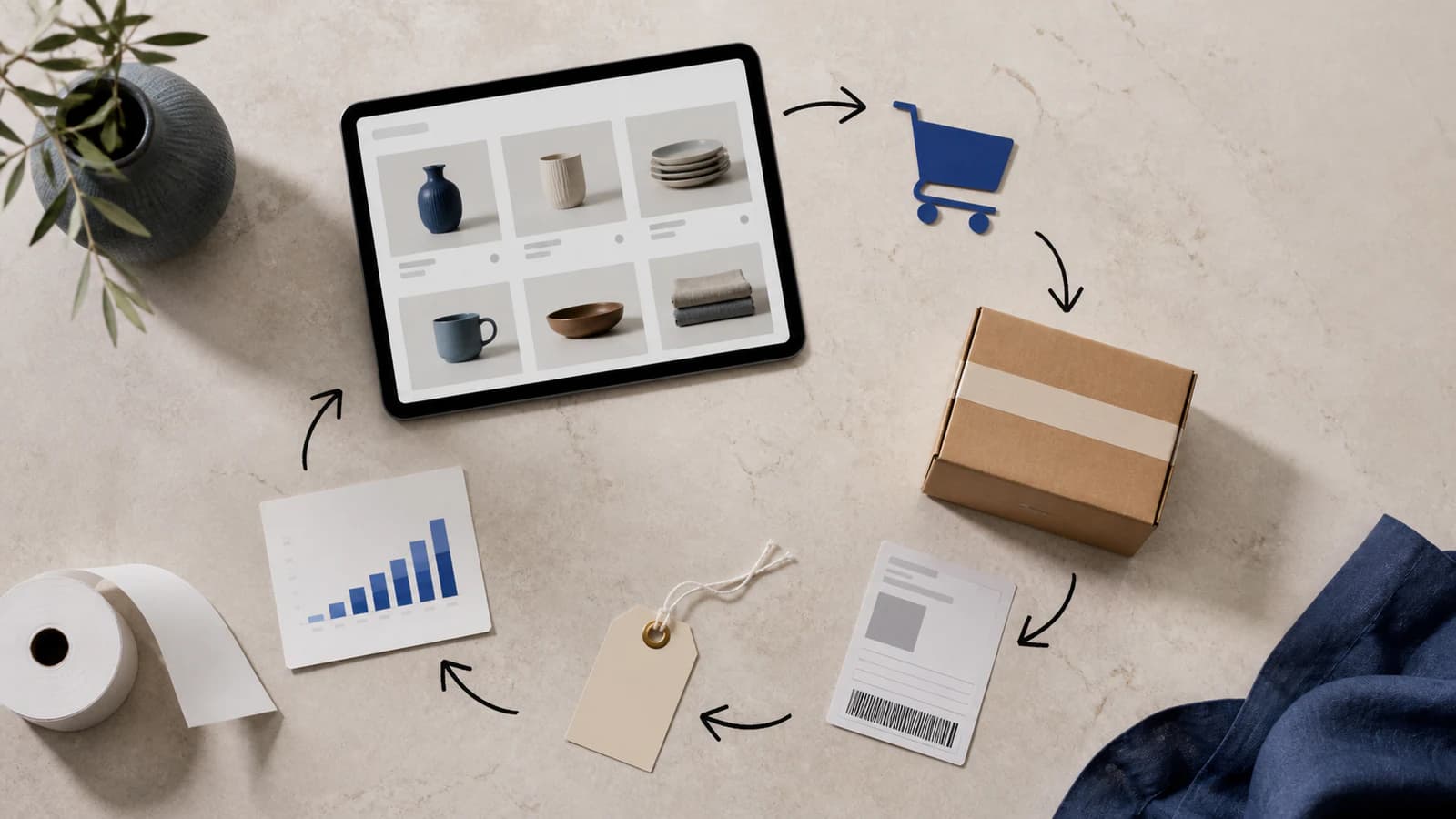
Calling Shopify a website builder is like calling a restaurant a menu. The visible storefront matters, but it is only the customer-facing part of a larger operating system for products, payments, orders, and day-to-day commerce.
The four workflows inside a Shopify business
Feature lists become outdated and are difficult to remember. Workflows are more useful because they show what the platform helps a merchant accomplish. Most Shopify activity fits into four connected loops.
Workflow 1: Present the offer
A merchant first turns an item into something a shopper can understand. Product records hold the title, description, price, images, options, and stock information. Collections arrange related products. The theme turns that information into pages, navigation, search results, and a mobile storefront.
Think of the theme as the presentation layer, not the product database itself. Changing themes changes the display, while the core product, order, and customer records remain in the admin.
Workflow 2: Complete the sale
When a shopper chooses an item, Shopify coordinates the cart and checkout journey. The exact experience depends on the merchant’s location and configuration: available payment providers, currencies, delivery choices, taxes, discounts, and policies all influence the final order.
This is why a beautiful homepage is not enough. Before launch, a merchant should place test orders on both phone and desktop, check confirmation messages, and make sure the total a customer sees is the total the business expects.
Workflow 3: Operate after checkout
A paid order creates work behind the screen. Someone must confirm inventory, prepare or deliver the item, update fulfillment, handle questions, and manage returns when necessary. Shopify’s admin provides the shared record that connects the customer, order, payment status, and fulfillment activity.
Physical goods are the most familiar example, but a store can also be configured for digital goods, services, subscriptions, bookings, or in-person sales. Each model needs its own delivery process and must comply with Shopify’s rules and applicable law.
Workflow 4: Learn and improve
After traffic and orders arrive, the merchant studies what happened. Which pages attract shoppers? Where do people hesitate? Which products sell together? Shopify reporting provides part of this picture, while tools such as Search Console and analytics platforms add search and acquisition context.
Improvements may be editorial, such as rewriting a confusing description; visual, such as simplifying a product page; or technical, such as installing a focused app or adding a custom theme section. Each addition should solve a clear customer or operational problem.

What is already included—and what remains your job?
Shopify supplies the commercial infrastructure:
- Hosted storefront delivery with HTTPS.
- Product, collection, customer, and order records.
- Theme templates and a visual section editor.
- Cart and checkout foundations.
- Technical search basics such as canonical URLs and sitemap generation.
- Connections to apps, themes, developers, and commerce services.
The merchant supplies the reason to buy:
- A product or service that solves a real need.
- Original photos, explanations, policies, and customer proof.
- Pricing, positioning, support, and fulfillment decisions.
- Marketing that brings the right audience to the store.
- Regular review of usability, speed, search visibility, and conversion.
A practical first-store rehearsal
Instead of trying every setting, rehearse one complete customer journey:
- Create one realistic product with finished media and copy.
- Place it in a collection and make it reachable from the navigation.
- Open the page on a phone and make a purchase decision as a customer would.
- Run a test order through checkout.
- Process that order from the admin as if it were real.
- Write down every confusing step before expanding the catalog.
This small rehearsal reveals more about platform fit than hours spent changing colors. Once the core journey works, expand the catalog and use our five-layer Shopify SEO field guide to make important pages easier to discover.
How to decide whether Shopify fits
Build a short requirements sheet before choosing a plan. Include countries, currencies, payment methods, delivery rules, product types, staff workflow, integrations, and reporting needs. During the trial, test the hardest requirement first. A generic feature list cannot tell you whether a specific local payment method, shipping rule, or operational process will work for your business.
Frequently asked questions
Is Shopify only for large businesses?
No. Shopify supports first-time sellers, small businesses, growing brands, and larger retail operations. The right plan and setup depend on the size and complexity of the business.
Do I need coding experience to use Shopify?
No coding is required for basic store setup. Themes and the visual editor handle most common tasks, while custom Liquid, CSS, and JavaScript can be added for more specialized storefront work.
Can I try Shopify before paying for a plan?
Shopify offers a trial so new merchants can create an account and explore the platform. Trial length and promotional pricing can vary, so check Shopify’s current signup page for the available offer.
For platform-specific setup details, consult the official Shopify Help Center.